Keep in mind that our [NZ Terms of Use for requesting](https://alma.wrlc.org/books/fulfillment/page/afn-network-zone-configurations#bkmrk-wrlc-fn-requesting-1) are configured to be Pick up Anywhere. This allows staff members to choose any pickup location for patrons when they request items **in Alma**. Our consortia uses the Discovery configuration below to only show IZ-only locations for patrons when they request items in **Primo**.
1\. Go to ***Configuration > Discovery > GetIt Configuration > Resource Sharing Request.*** Scroll down to the ***Delivery Fields*** section IF your institution only has only **one pickup location**, then you can configure the following: [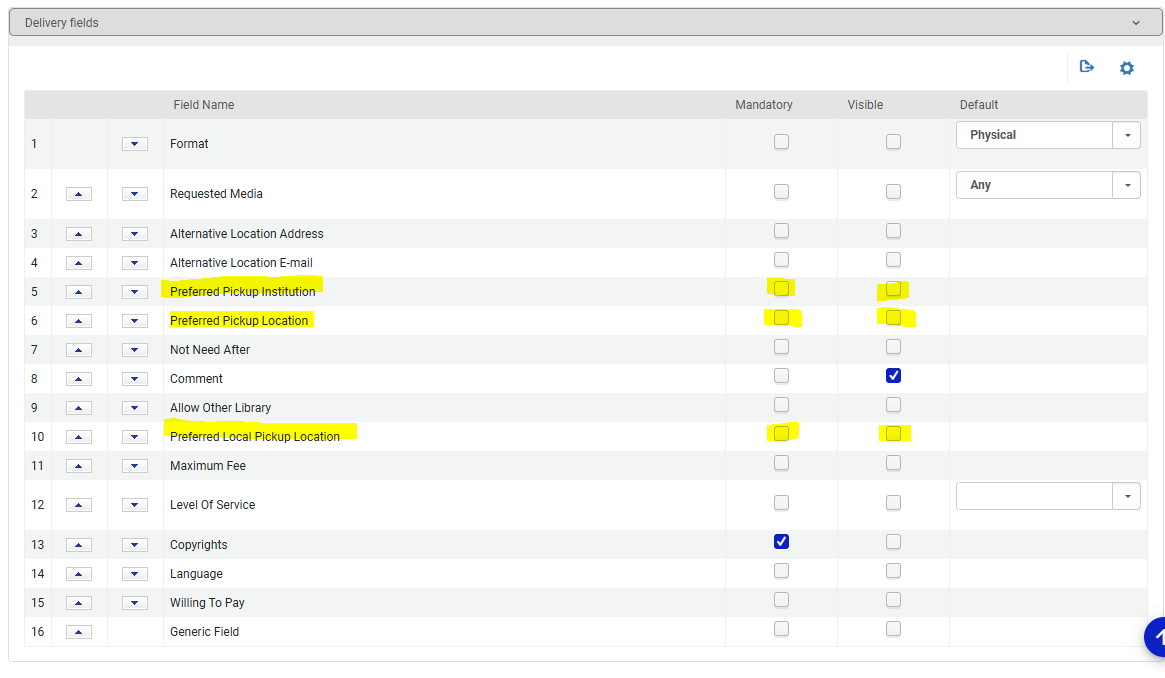](https://alma-documentation-bookstack-stage.azurewebsites.net/uploads/images/gallery/2025-07/discovery-configs-1.PNG) Leave the following options **blank** (no checkmarks): - Preferred Pickup Institution (if checked, this will list all institutions in our NZ) - Preferred Pickup Location (if checked this will list all libraries in our NZ) - Preferred Local Pickup Location The Primo request form will then not display a pickup location option for patrons. [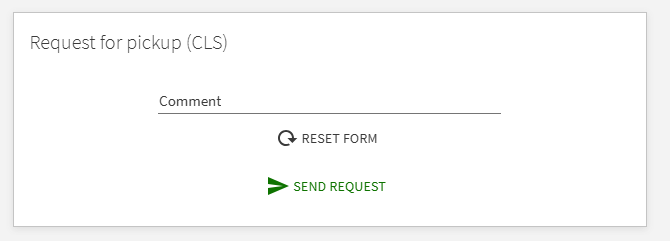](https://alma-documentation-bookstack-stage.azurewebsites.net/uploads/images/gallery/2025-07/discovery-configs-2.PNG) IF your institution has **multiple pickup locations** for patrons, you can configure the following: [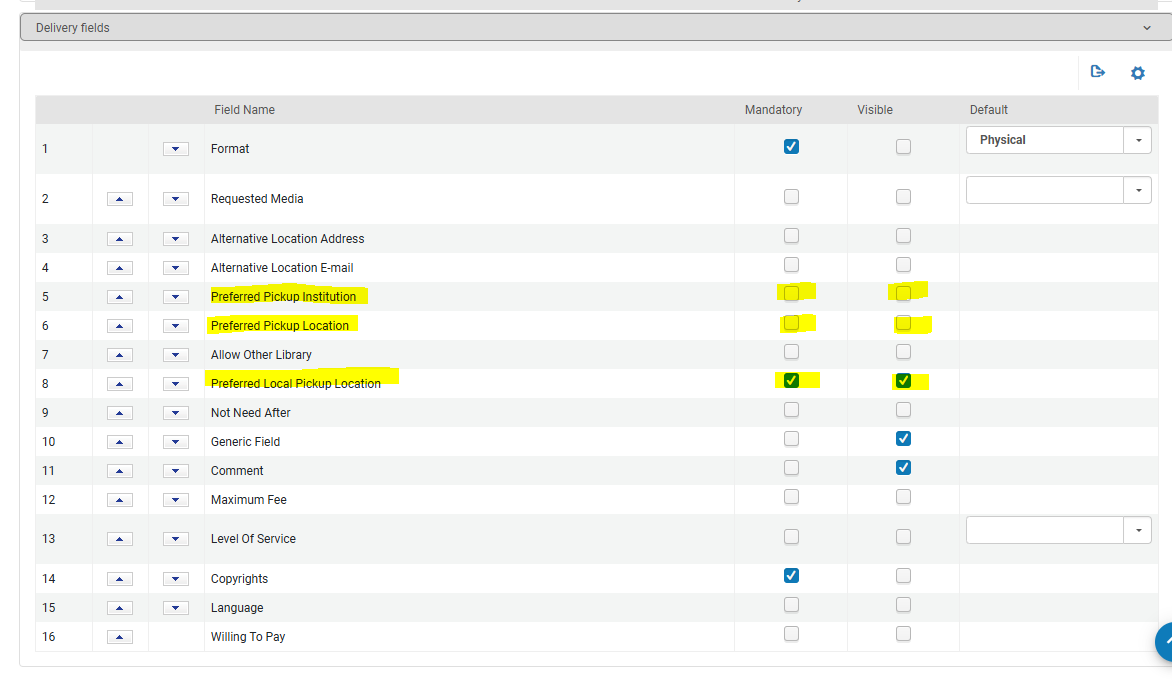](https://alma-documentation-bookstack-stage.azurewebsites.net/uploads/images/gallery/2025-07/discovery-configs-3.PNG) Leave the following options **blank** (no checkmarks): - Preferred Pickup Institution (if checked, this will list all institutions in our NZ) - Preferred Pickup Location (if checked this will list all libraries in our NZ) Check **Mandatory** and **Visible** for the following option: - Preferred Local Pickup Location The Primo request form will then display a drop down menu of all pickup locations in your Institution Zone [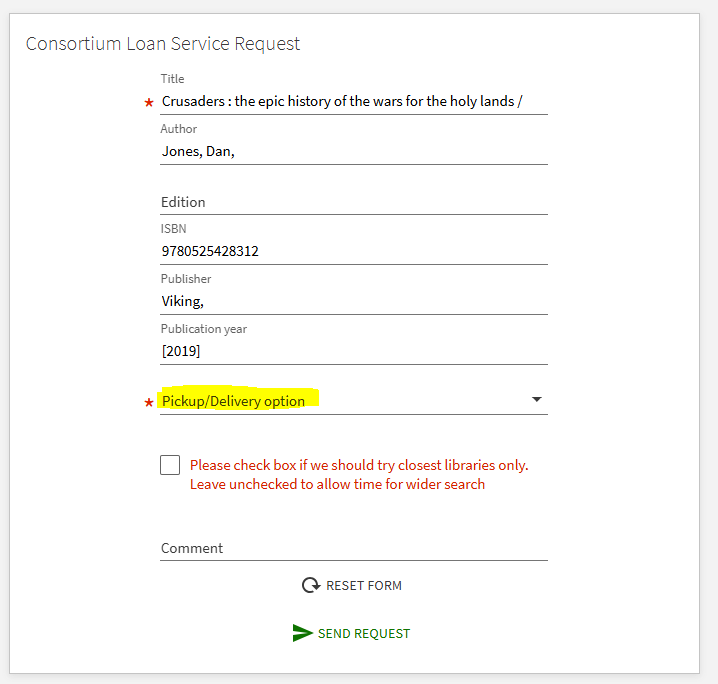](https://alma-documentation-bookstack-stage.azurewebsites.net/uploads/images/gallery/2025-07/discovery-configs-4.PNG) [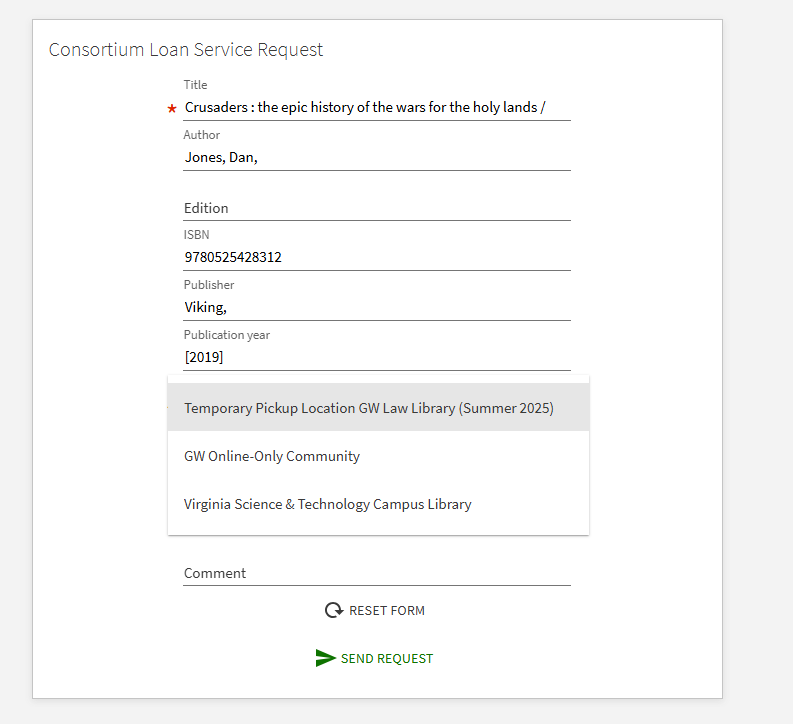](https://alma-documentation-bookstack-stage.azurewebsites.net/uploads/images/gallery/2025-07/discovery-configs-5.PNG)