Printouts Queue in Alma
The Printouts Queue page in Alma lists all documents that Alma has sent to the printer via email. In the SCF IZ, these documents are primarily Pull Slips.
Go to Admin > Printing > Printouts Queue
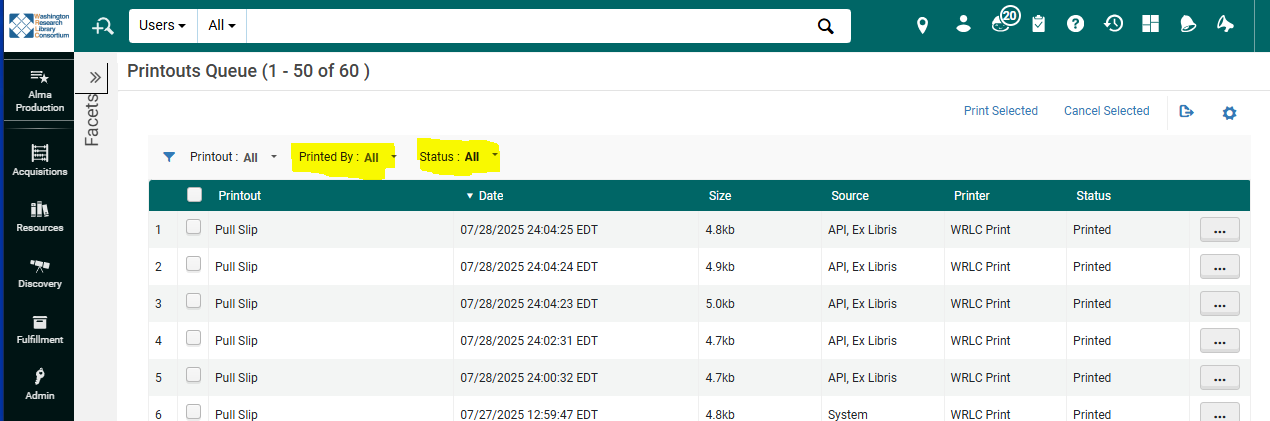
Be sure to choose the correct filter options at the top left-hand side of the screen : Printed by = ALL and Status = ALL
Some helpful things to keep in mind about the Printouts Queue
- When a document has a Status of Printed,it means that the slip was sent via email to the printer. It doesn't necessarily mean that the slip was printed by the printer, it only means the email was sent by Alma.
- Information in the Source column can give us clues about the origin of each Pull Slip:
- If the Source of a document is API, Ex Libris, it means the document was created by the SCF Remote Storage App; these requests are sent to the SCF IZ twice per day, at midnight and at noon.
- If the Source of a document is System, it is a Pull Slip requesting a WRLC Shared Monograph; these requests can be sent to the SCF IZ at any time of the day.

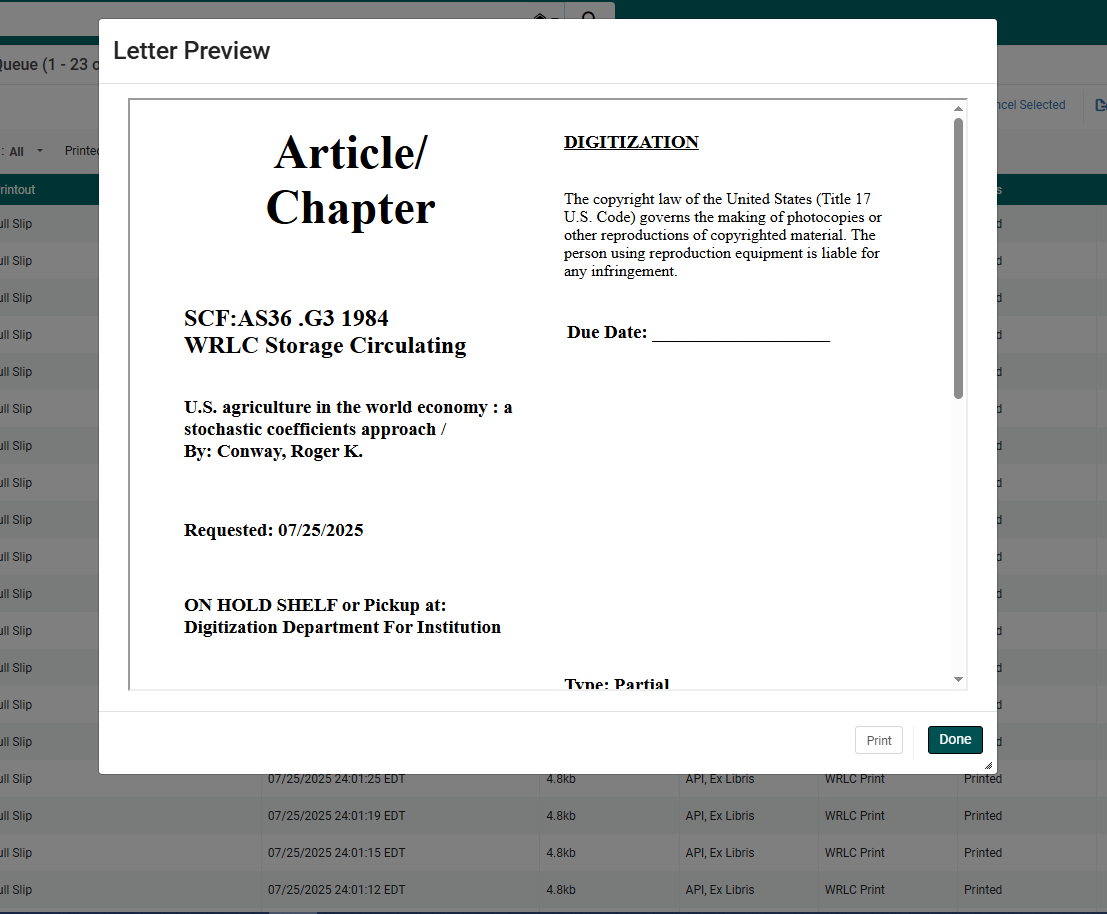
- You have the option to Preview each document sent to the print. Go to the ellipsis button (...) to the right hand side of each document, then click Preview.